
54 lines
3.3 KiB
Markdown
54 lines
3.3 KiB
Markdown
🥟 Dumpling
|
|
============
|
|
|
|
[](https://travis-ci.org/pingcap/dumpling)
|
|
[](https://codecov.io/gh/pingcap/dumpling)
|
|
[](https://pkg.go.dev/github.com/pingcap/dumpling)
|
|
[](https://goreportcard.com/report/github.com/pingcap/dumpling)
|
|
[](https://app.fossa.com/projects/git%2Bgithub.com%2Fpingcap%2Fdumpling?ref=badge_shield)
|
|
[](https://slack.tidb.io/invite?team=tidb-community&channel=sig-migrate&ref=github_sig)
|
|
|
|
**Dumpling** is a tool and a Go library for creating SQL dump from a MySQL-compatible database.
|
|
It is intended to replace `mysqldump` and `mydumper` when targeting TiDB.
|
|
|
|
You may read the [design document](https://github.com/pingcap/community/blob/master/rfc/2019-12-06-dumpling.md), [English user guide](docs/en/user-guide.md) and [中文使用手册](docs/cn/user-guide.md) for details.
|
|
|
|
Features
|
|
--------
|
|
|
|
> Dumpling is currently in early development stage, and most features are incomplete. Contributions are welcomed!
|
|
|
|
- [x] SQL dump is split into multiple files (like `mydumper`) for easy management.
|
|
- [x] Export multiple tables in parallel to speed up execution.
|
|
- [x] Multiple output formats: SQL, CSV, ...
|
|
- [ ] Write to cloud storage (S3, GCS) natively
|
|
- [x] Advanced table filtering
|
|
|
|
Any questions? Let's discuss in [#sig-migrate in Slack](https://slack.tidb.io/invite?team=tidb-community&channel=sig-migrate&ref=github_sig)!
|
|
|
|
Building
|
|
--------
|
|
|
|
0. Under directory `tidb`
|
|
1. Install Go 1.16 or above
|
|
2. Run `make build_dumpling` to compile. The output is in `bin/dumpling`.
|
|
3. Run `make dumpling_unit_test` to run the unit tests.
|
|
4. Run `make dumpling_integration_test` to run integration tests. For integration test:
|
|
- The following executables must be copied or generated or linked into these locations:
|
|
* `bin/sync_diff_inspector` (download from [tidb-enterprise-tools-latest-linux-amd64](http://download.pingcap.org/tidb-enterprise-tools-latest-linux-amd64.tar.gz))
|
|
* `bin/tidb-server` (download from [tidb-master-linux-amd64](https://download.pingcap.org/tidb-master-linux-amd64.tar.gz))
|
|
* `bin/tidb-lightning` (download from [tidb-toolkit-latest-linux-amd64](https://download.pingcap.org/tidb-toolkit-latest-linux-amd64.tar.gz))
|
|
* `bin/minio` (download from <https://min.io/download>)
|
|
* Now, you can run `sh ./dumpling/install.sh` to get the above binary files.
|
|
- The following programs must be installed:
|
|
* `mysql` (the CLI client)
|
|
- There must be a local mysql server listening on `127.0.0.1:3306`, and an active user with no password that can be connected through this TCP address.
|
|
|
|
|
|
License
|
|
-------
|
|
|
|
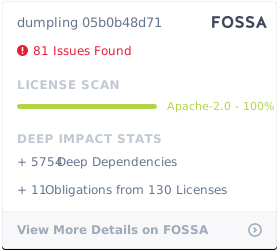
Dumpling is under the Apache 2.0 license. See the [LICENSE](./LICENSE) file for details.
|
|
|
|
|
|
[](https://app.fossa.com/projects/git%2Bgithub.com%2Fpingcap%2Fdumpling?ref=badge_large) |